LaptopMastery is reader-supported. If you buy through a link on this page we may earn a commission, at no extra cost to you. As an Amazon Associate we earn from qualifying purchases. Prices and configurations change often, so always check the listing before you buy. Last checked: October 12, 2026.
Short answer: before buying anything, fix your lighting and audio. A cheap light and a USB microphone improve video calls more than an expensive webcam. For cameras, the Logitech C920x is the dependable budget choice, the OBSBOT Meet 2 is the best value 4K webcam, and the Insta360 Link 2 is best if you move around. For audio, the HyperX SoloCast 2 is a bargain and the Shure MV6 sounds great in untreated rooms.
In this article
Why upgrade from your laptop’s camera and mic?
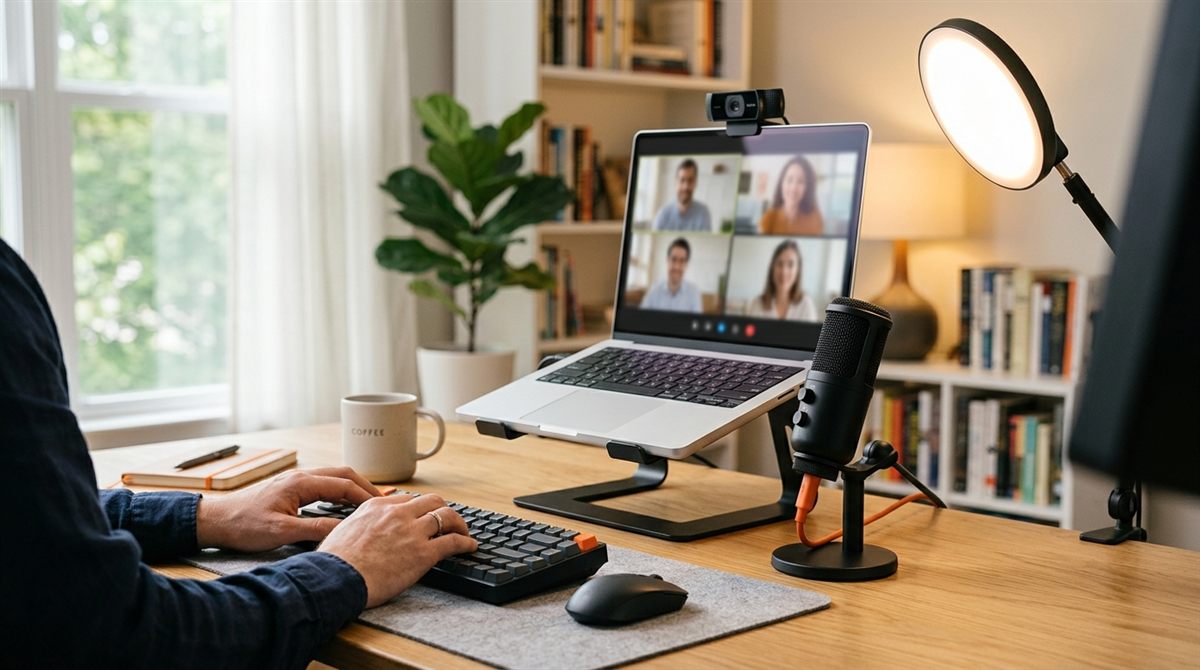
Most laptop webcams are tiny 720p or 1080p sensors that struggle in normal room light, and laptop microphones sit 2–3 feet from your mouth, picking up keyboard clatter and room echo. An external mic 6–8 inches away, plus a light in front of you, makes the biggest difference.
Our picks at a glance
| Best budget webcamLogitech C920x HD Pro | Check price |
| Best value 4K webcamOBSBOT Meet 2 | Check price |
| Best if you move aroundInsta360 Link 2 | Check price |
| Best premium webcam for workLogitech MX Brio | Check price |
| Best budget microphoneHyperX SoloCast 2 | Check price |
| Best mic for noisy or echoey roomsShure MV6 | Check price |
| Classic all-rounder micBlue Yeti (Logitech) | Check price |
| Best light for video callsLogitech Litra Glow | Check price |
Best budget webcam
Logitech C920x HD Pro
The most popular webcam ever made for good reason: reliable 1080p video, decent auto light correction and plug-and-play compatibility with every computer and app. It is not 4K, but it is a big step up from most laptop cameras.
Good: Reliable, affordable, works everywhere.
Not so good: 1080p/30fps only, built-in mics are just OK.
Best value 4K webcam
OBSBOT Meet 2
A tiny 4K webcam with a large 1/2-inch sensor (much better in dim rooms), AI auto-framing and fast autofocus, for not much more than a basic webcam.
Good: Large sensor, 4K, AI framing, very compact.
Not so good: Companion app needed for the best settings.
Best if you move around
Insta360 Link 2
A motorised pan-tilt 4K webcam that physically follows you as you move, which is great for teachers, presenters and anyone who stands or uses a whiteboard. It has a large sensor, HDR and gesture controls.
Good: AI tracking, excellent image quality, gesture control.
Not so good: Pricier, larger than fixed webcams.
Best premium webcam for work
Logitech MX Brio
Excellent 4K image quality with AI-enhanced exposure, dual noise-reducing mics, a built-in privacy shutter and solid business-app compatibility.
Good: Great image, privacy shutter, polished software.
Not so good: Expensive, no motorised tracking.
Best budget microphone
HyperX SoloCast 2
A compact USB condenser mic with a built-in pop filter and shock mount. Placed close to your mouth, it makes your voice dramatically clearer than a laptop mic.
Good: Cheap, compact, clear sound, plug and play.
Not so good: Condenser mics pick up room noise if placed far away.
Best mic for noisy or echoey rooms
Shure MV6
A dynamic USB-C microphone. Dynamic mics reject background noise and room echo much better than condensers, so it is ideal for home offices without soundproofing. Shure’s software includes automatic gain and noise reduction.
Good: Rejects background noise, broadcast-quality voice, USB-C.
Not so good: Must be close to your mouth, pricier.
Classic all-rounder mic
Blue Yeti (Logitech)
A versatile USB mic with multiple pickup patterns, which is useful if you also record podcasts or interviews with two people.
Good: Versatile patterns, good sound, huge accessory ecosystem.
Not so good: Large and heavy, picks up keyboard noise.
Best light for video calls
Logitech Litra Glow
A soft, flicker-free LED light that clips onto your monitor or laptop. Even, front-facing light makes any webcam look dramatically better, especially in the evening.
Good: Soft, flattering light, adjustable, clips on easily.
Not so good: Needs a USB port, small light area.
Quick wins that cost nothing
- Face a window (not with a window behind you).
- Raise the camera to eye level. A laptop stand stops the “looking up your nose” angle.
- Wear headphones to stop echo and feedback. See connecting Bluetooth headphones, and use your USB mic as the microphone so call audio doesn’t switch Bluetooth into low quality.
- Turn on noise suppression in Zoom, Teams or Windows Studio Effects.
FAQ
Do I need a 4K webcam?
Most video-call apps send 720p–1080p, but 4K webcams usually have bigger sensors, which look better in low light, and allow digital zoom and framing without blur.
Will these work with a Mac?
Yes. All the webcams and USB mics here are plug-and-play on macOS and Windows. On a Mac you can also use your iPhone as a webcam with Continuity Camera.